

Could your firm answer every question on its cyber insurance renewal today?
Cybersecurity for law, CPA, and financial firms, built for your insurance renewal
Your clients trust you with tax returns, case files, and deal terms. We bring the protections large firms use to California CPA, law, and financial firms your size, run them every day, and keep the records your insurer asks for.
★★★★★
“The single biggest benefit of partnering with One82 for our IT and Cybersecurity needs is peace of mind. We can always count on working with experienced technicians who are on time.”
Most firms have some security in place. Would it hold up to a close look?
The firms we meet usually have antivirus and a firewall. The gaps hide in the details. Here's what we usually hear on the first call.
Carriers now ask about two-step logins, protection on every computer, tested backups, and a written response plan. Clear answers keep your coverage on track.
The ones that got skipped, like an old admin login or a shared mailbox, are where we start.
Notices that look like they come from the IRS, a court, or a client asking for a wire are common now. Good filtering and short training stop most of them before anyone clicks.
A short written plan means everyone knows their next step if something goes wrong.

Sound familiar?
Tell us what's slowing your team down. You'll leave the call knowing what we'd change and what it would cost.
A few well-run basics stop most attacks.
Recent reports agree on two things. People are the usual way in, and a second check at login blocks nearly every attempt to break into an account.
Wondering where your firm stands?
Security that lets your team get on with client work
Good security feels quiet. Your team works the way it always has while the protection runs in the background.
Renewals get easier
You answer the carrier's questions with documentation in hand, so you keep the coverage your firm needs.
Clients share files with confidence
When a client sends a security questionnaire, the answers are ready, and you can say yes to the work.
Small problems stay small
Someone watches your systems day and night, so a stolen password gets caught and locked out early.
What we handle for your firm
Each layer covers a different way in, and one team runs all of them for you.
- 01
Endpoint protection (EDR)
Watches how programs behave on every computer and server, and isolates one that acts strangely before a problem can spread. It catches what old antivirus misses.
- 02
Email security
We check every incoming email for fake senders, bad links, and risky attachments, including the fake IRS notices, court filings, and wire requests aimed at firms like yours.
- 03
Multi-factor authentication
A second check, like a tap on your phone, for Microsoft 365, remote access, your practice software, and banking portals. Quick for staff, hard for anyone else.
- 04
Security awareness training
Short lessons and realistic practice emails. Anyone who clicks gets friendly coaching right away, and click rates drop over time.
- 05
Dark web monitoring
We watch stolen data for your firm's email addresses and passwords. If one turns up, we reset it and find out how it leaked.
- 06
24/7 security monitoring (SOC)
A team of security analysts reviews alerts from your systems day and night and steps in when something looks wrong.
- 07
Incident response plan
A written, tested plan for your firm: who to call, what to isolate, and who to notify. Your team knows exactly what to do in the first 15 minutes.
- 08
Vulnerability scanning
Regular scans of your network and cloud services find missed updates, open ports, and weak settings. We fix them in order of risk.
Want all of this handled for you?
Three steps to security you can show your insurer
- 1
Book a 15-minute call
Tell us what you have in place today and what your insurer or clients are asking for.
- 2
See every gap and its fix
We check your setup against what carriers and regulators expect. You see each gap, its fix, and the price before any work starts.
- 3
Focus on client work
We close the gaps in order of risk, then keep everything running and documented.
How cybersecurity helps your industry

CPA and Accounting Firms
Client Social Security numbers, returns, and bank details protected the way IRS Publication 4557 and the FTC Safeguards Rule expect, with a written plan to match.
Security for CPA firms →
Law Firms
Privileged files, client email, and wire instructions protected, with access controls and ethical walls that support your State Bar duty of confidentiality.
Security for law firms →
Boutique Financial Services
Deal data, investor records, and borrower files protected to the standard your investors expect to see in a due diligence review.
Security for financial firms →
Other Regulated Industries
Client files, email, and payments protected with the same layers, plus the records your cyber insurance carrier and your clients ask to see.
For other regulated firms →Not sure where your firm fits?
Tell us about your firm. In 15 minutes you'll know which services fit and what they would cost.
5.0 Google rating, 37 reviews
Common questions about cybersecurity
How does One82's cybersecurity service protect a firm day to day?
One82 protects your firm in layers, and one team runs every layer for you, every day. Endpoint detection and response (EDR) watches how programs behave on each computer and server. It isolates one that acts strangely before a problem can spread. We check every incoming email for fake senders, bad links, and risky attachments. Multi-factor login adds a second check for Microsoft 365, remote access, your practice software, and banking portals. Short lessons and realistic practice emails teach your team to spot phishing, and click rates drop over time. We watch stolen data for your firm's email addresses and passwords. A team of security analysts reviews alerts from your systems day and night and steps in when something looks wrong. Regular scans find missed updates and weak settings, and we fix them in order of risk. You also get a written, tested incident plan, plus the records your insurer asks for at renewal.
What cybersecurity services does a professional services firm actually need?
Every firm needs the basics: endpoint protection (EDR), email filtering, multi-factor authentication, encrypted backups, staff training, and dark web monitoring. Firms that hold regulated data also need around-the-clock security monitoring, vulnerability scanning, and a written incident response plan. We look at your data and the rules you work under, then recommend what you actually need.
How much does cybersecurity cost for a small professional services firm?
One82 has two plans. Managed IT is $200 per user per month. The Full Program is $300 per user per month. Both plans are for firms with 11 or more users. 24/7 security monitoring, email protection, and staff training are part of the Full Program, so a regulated firm gets them inside the monthly fee. If you already have an IT provider, book a 15-minute call and we'll tell you what adding it would cost.
What is the difference between antivirus and endpoint detection and response (EDR)?
Antivirus looks for threats it already knows. EDR watches what programs actually do, so it can spot new attacks and ransomware that antivirus would miss. It can also isolate an infected computer on its own and record what happened. For a firm that holds client data, EDR is the starting point now.
Does One82 help us meet cyber insurance requirements?
Yes, and it's one of the most common reasons firms call us. Carriers now expect MFA on email and remote access, EDR on every computer, email filtering, encrypted and tested backups, staff training, and a written incident response plan. We put each control in place, document it, and help you answer the carrier's technical questions.
What should we do if we think we have been hacked or breached?
Call us right away. Don't turn anything off, don't try to investigate on your own, and don't delete anything. We'll contain the problem, preserve the evidence, work out what was exposed, and walk you through any notices you have to send. Every One82 client has a written plan, so your team knows the first steps.
How does phishing training actually work?
We send realistic practice emails, like fake e-filing notices, court documents, and wire requests from "clients", along with short lessons on spotting them. It runs in the background and takes little of anyone's time. If someone clicks, they get friendly coaching right away. Over a few months, far fewer people click.
What is dark web monitoring and why does my firm need it?
Stolen passwords and email addresses get bought and sold on hidden websites. We watch those sites for your firm's accounts. When one shows up, we reset it and find out how it leaked. Catching it early means you change a password instead of dealing with a break-in. Your free Dark Web report shows what's already out there, delivered in 2 business days.
Can One82 help with a client's or investor's security review?
Yes. When a client, an investor, or your insurer sends a security questionnaire, we help you answer it and show the evidence. We put the controls they ask about in place, like access controls, encryption, monitoring, and incident response, and we keep the records current.
How does One82 protect against ransomware?
With several layers. Email filtering blocks most of it before it arrives. Training helps staff spot what gets through. EDR stops it on the computer before it spreads, and network segmentation limits how far it can go. Backups that ransomware can't change mean we restore clean copies of your data instead of anyone paying a ransom.
What makes One82 different from other cybersecurity providers?
We focus on three industries: law, CPA, and boutique finance. We've done this since 1999. We know the data you hold and what your insurer and your clients ask to see. We build your security around how your firm works, instead of applying the same playbook to every business.
We're not a CPA, law, or financial firm. Can you still help?
Yes. We work with other professional firms too. Every layer on this page carries over, and so does the help with your cyber insurance renewal. We start by learning what data you hold and what your clients and insurer ask for, then build from there.
Still have a question?
Ask us on a 15-minute call. You'll talk with a person who knows firms like yours.
5.0 Google rating, 37 reviews
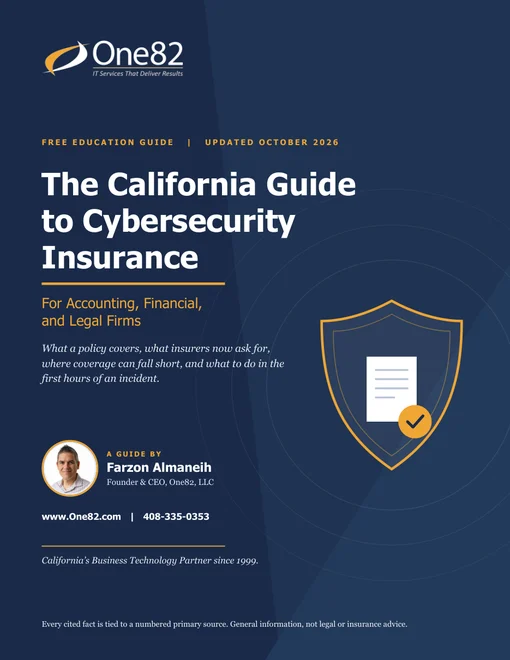
Not ready for a call? Start with the guide.
The California Guide to Cybersecurity Insurance explains what carriers now ask for and how to get your firm ready before the renewal arrives.
More on cybersecurity

The Shared Drive Audit: How CPA Firms Can Find and Fix Years of Permission Sprawl
CPA firms accumulate years of messy folder permissions. Here's how to audit your shared drives, fix access sprawl, and keep it clean going forward.
What Is EDR (Endpoint Detection and Response)?
Learn what EDR (Endpoint Detection and Response) is, how it differs from antivirus, and why insurers and regulators require it for professional services.

The Device Lifecycle Problem Small Law Firms Keep Ignoring (And Why It Becomes a Breach Risk)
Retired laptops and tablets may still hold client data. Here's what a proper law firm device lifecycle policy looks like-and why it matters.

Why Your CPA Firm's Remote Work Setup Is Still Not Compliant - And How to Fix It
Most CPA firms never audited their 2020 remote work tools for IRS, FTC, and state compliance. Here's where the gaps are - and how to close them.
Let's see how your firm's security holds up.
Fifteen minutes. No pitch deck. You'll leave knowing your biggest gaps and what it takes to close them. Want a head start? Your free Dark Web and Email Security reports arrive in 2 business days.